![logo big.png]](https://help.togal.ai/hs-fs/hubfs/logo%20big.png?height=50&name=logo%20big.png)
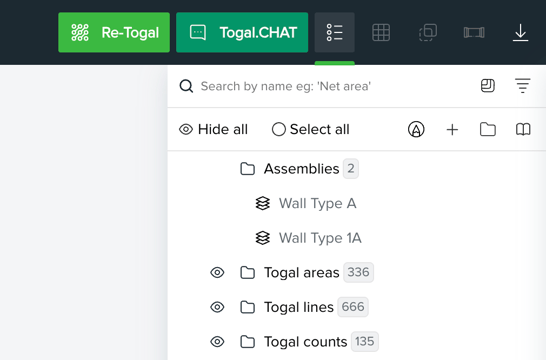
You can view a complete overview of the assemblies currently used in your project at the top of the Quantities panel, located under the Assemblies header.
How to Import Assemblies to your Project
To add an assembly from your central library to your current project:
-
Open the Quantities panel on the right side of your screen.
-
Click the Library icon.
-
In the Import from Library window, select the Assemblies option.
-
Check the boxes next to the specific assemblies you wish to add.
-
Click Import.